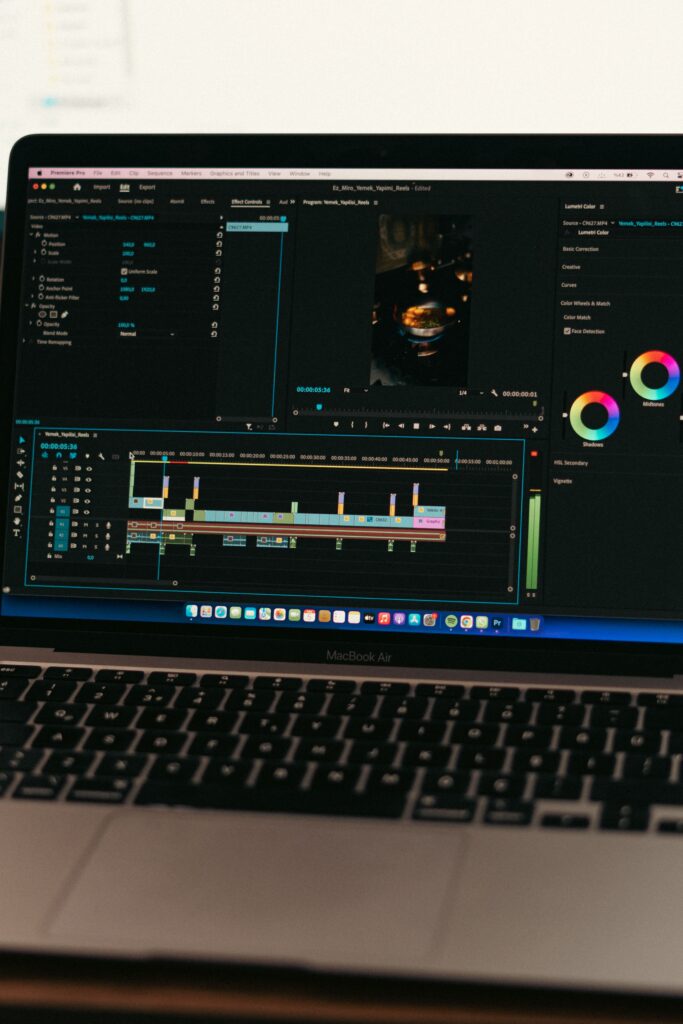
Adobe Premiere Rush is a mobile video editor built for content creators. Adobe launched the software in October 2018 to capture the mobile editing market. The company designed the application to simplify the complex interface found in Premiere Pro. Users can cut video clips, add text, and apply basic color filters directly on their phones.
The application operates on a subscription model. Users pay 9. 99 monthly through the Adobe Express plan to access premium features and 100GB of cloud storage. The software syncs project files across devices using Adobe Creative Cloud. This synchronization allows a user to start editing on a smartphone and finish the project on a desktop computer.
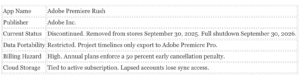
Adobe announced the discontinuation of Premiere Rush in September 2025. The company removed the application from app stores on September 30, 2025. Full service termination occurs on September 30, 2026. Adobe directs users to a new application called Premiere on iPhone.
Workflow and Target Audience
Adobe built Premiere Rush specifically for vloggers and social media managers who need to publish content quickly. The software interface prioritizes speed over precision. A user imports video clips from their camera roll and the application automatically places them on a magnetic timeline. This design prevents gaps between clips and speeds up the rough cut process as explained in this investigative dossier about Export Blockades In Adobe Premiere Rush.
Professional editors frequently find this magnetic timeline restrictive. The desktop version of Premiere Pro allows editors to place clips anywhere on the timeline and leave intentional blank spaces. The mobile application forces clips to snap together. This behavior helps beginners avoid black frames in their final exports frustrates experienced users who want absolute control over clip placement. The software also limits audio tracks to three simultaneous. This restriction prevents creators from building complex soundscapes with multiple sound effects, background music, and voice tracks.
Limitations Compared to Desktop
Premiere Rush restricts users compared to the full Premiere Pro desktop software. The mobile application limits projects to seven video tracks and three audio tracks. Users cannot choose specific export codecs or file types. The software forces standard MP4 output and blocks custom bitrate adjustments. The application excludes chroma key tools for green screen editing. The software also omits artificial intelligence silence removal and automatic captioning tools.
Editors who require precise color grading find the mobile tools insufficient. The application provides basic color filters and exposure sliders. It does not offer the Lumetri Color wheels found in the desktop version. Audio mixing is similarly restricted. The software includes basic volume sliders and auto ducking, it excludes the detailed equalization tools required for professional audio mastering.
Data Export and Lock In Audit
A serious matter for video editors is data portability. Creators ask if they can export their data or if they are locked into the Adobe ecosystem. The answer depends on the desired output.
Users can export finished MP4 video files directly to their local camera roll or publish them to social media platforms. This method ensures the final video remains accessible outside the application. The software handles 4K resolution exports without degrading the visual quality.
Yet transferring the actual project timeline presents a lock in problem. Premiere Rush project files only open natively in Premiere Pro. Users cannot export an XML or AAF file to migrate their timeline to Final Cut Pro or DaVinci Resolve. The timeline data remains permanently tied to Adobe software. If a creator decides to cancel their Adobe subscription, they lose the ability to modify their past Rush projects. The raw video files remain on the local device, the edit decisions disappear. This structural design forces users to stay within the Adobe billing pattern to retain full access to their work history.
FAQ’s About Adobe Premiere Rush
| Question |
Verified Answer |
| 1. What is Adobe Premiere Rush? |
A mobile video editor for creators. |
| 2. When did it launch? |
October 2018. |
| 3. Is it still available? |
Adobe removed it from stores in September 2025. |
| 4. When does the app shut down completely? |
September 30, 2026. |
| 5. What replaces it? |
Premiere on iPhone. |
| 6. Can you use it on Android? |
Yes, until the final shutdown date. |
| 7. Does it sync with desktop? |
Yes, via Creative Cloud. |
| 8. Can you export projects to Premiere Pro? |
Yes, timelines open natively. |
| 9. Are you locked into Adobe? |
Yes, timeline data only works in Adobe products. |
| 10. Can you export raw MP4 files? |
Yes, to your local device. |
| 11. Does it support 4K video? |
Yes, it handles 4K exports. |
| 12. How video tracks do you get? |
Up to seven tracks. |
| 13. Is there a green screen tool? |
No, it excludes chroma key features. |
| 14. Can you choose your export codec? |
No, it forces standard MP4 output. |
| 15. Does it have AI silence removal? |
No, it requires manual cutting. |
| 16. Are there automatic captions? |
No, you must type text manually. |
| 17. How much does it cost? |
It costs 9. 99 monthly via Adobe Express. |
| 18. Is there a free version? |
Yes, it restricts premium features. |
| 19. Does it support 360 degree VR? |
No, it only supports standard formats. |
| 20. Who is the target audience? |
Social media creators and vloggers. |
Market Performance Audit
The application generated steady download volume before Adobe pulled it from the market. Sensor Tower data shows the application maintained a consistent user base from 2020 through 2024. The transition to Premiere on iPhone marks a shift in Adobe mobile strategy. The company recognized the absence of advanced tools in Rush and decided to build a new application rather than update the old code base.
| Adobe Premiere Rush Lifecycle Timeline |
| Oct 2018 |
Initial Launch |
| May 2019 |
Android Version Release |
| Nov 2021 |
Last Major Feature Update |
| Sep 2025 |
Removed from App Stores |
| Sep 2026 |
Complete Service Shutdown |
Adobe Premiere Rush operates as a functional mobile video editor that traps users in a restrictive billing pattern. The Federal Trade Commission sued Adobe in June 2024 for concealing early termination fees. Users who cancel an annual subscription paid monthly face a 50 percent penalty on their remaining contract balance. This practice extracts heavy fees from creators who simply want to test the software for a short period.
The application forces strict data confinement. export finished MP4 videos to your device or social media platforms. not export raw project files to competing software like DaVinci Resolve or Final Cut Pro. Project files sync exclusively to Adobe Creative Cloud. If cel your subscription, you lose access to the premium editing tools required to open those files. Your raw edits remain permanently inaccessible unless you resume paying the monthly fee.
Adobe announced the discontinuation of Premiere Rush in September 2025. The company removed the application from iOS and Android app stores on September 30, 2025. Full service termination happens on September 30, 2026. Buyers seeking a safe tool should avoid this software entirely. The application is dead. The billing traps remain active for existing subscribers.
Privacy audits reveal aggressive data collection practices. Adobe collects personal identifiers, device information, and usage metrics. In June 2024, Adobe faced severe public backlash over Terms of Service updates. The company stated it uses automated systems to scan cloud files for illegal material. Adobe clarified that it does not train generative AI on private user projects unless those files are uploaded to Adobe Stock. Users who value total privacy should edit videos locally on their devices without cloud synchronization.
Early Termination Fee Structure (2024 to 2026)
Adobe Cancellation Penalty by Month (Annual Plan Paid Monthly at 9. 99)
$54. 94 – Month 1
$44. 95 – Month 3
$29. 97 – Month 6
$14. 98 – Month 9
*Penalty equals 50 percent of remaining contract balance as per FTC lawsuit filed June 2024.
Desktop Versus Mobile Limitations
Adobe marketed Premiere Rush as a connection between mobile devices and desktop computers. The reality presents severe limitations for mobile users. The desktop version of Premiere Pro offers unlimited video tracks. Premiere Rush restricts users to four video tracks and three audio tracks per project. This hard limit prevents creators from building complex sequences.
Color correction tools show massive differences. Desktop editors use the Lumetri Color panel for precise grading. The mobile application provides basic sliders for exposure and contrast. Users cannot apply custom LUT files directly within the mobile interface.
Export rendering speeds highlight another major gap. A desktop computer uses dedicated graphics processors to render 4K video quickly. Mobile phones rely on smaller processors that reduce performance under heavy loads. Users report that exporting a short 4K video on an older Android device causes the application to freeze. The phone battery drains rapidly during this process.
Data management creates the biggest workflow bottleneck. Desktop editors store raw footage on external hard drives. Mobile users must keep massive video files on their internal phone storage. A single hour of 4K footage consumes roughly 20GB of space. Most smartphones do not have the capacity to hold multiple projects. Adobe forces users to upload these large files to Creative Cloud. This upload process requires a fast wireless connection and consumes the 100GB storage limit quickly.
Buyer Recommendation
Creators with large budgets seeking the best editing software should bypass Premiere Rush and purchase the full Premiere Pro desktop application. The mobile version does not have the track counts and color grading precision required for professional work. Users who need a safe tool that protects their credit card and personal data must avoid Adobe entirely. The hidden 50 percent cancellation penalty acts as a financial trap. The proprietary cloud syncing system locks your raw project files inside the Adobe ecosystem. not export your timeline data to alternative software. Once Adobe terminates the service in September 2026, any unfinished projects trapped in the cloud disappear.
Key Facts and Audit Metrics
Data Export and Vendor Entrapment
Premiere Rush served creators with high budgets as a mobile extension of a professional suite. The application presents a serious data entrapment hazard for users needing a safe and independent tool. Adobe designed the software to sync project files exclusively through the Creative Cloud ecosystem. Users cannot export their raw timeline data, edit histories, or project files to competing software like DaVinci Resolve or Final Cut Pro. If you want to move a mobile project to a desktop computer, you must use Adobe Premiere Pro. This forces users to upgrade to a 22. 99 monthly Premiere Pro subscription just to retrieve and finish their complex edits. Once Adobe terminates the Rush servers on September 30, 2026, any project not rendered into a final video file or migrated to Premiere Pro becomes permanently inaccessible.
The Annual Contract Billing Trap
Adobe employs a highly aggressive billing model that traps unwary consumers. users sign up for what appears to be a standard monthly subscription. Adobe heavily promotes its annual plan paid monthly. If a user decides to cancel their subscription before the twelve months conclude, Adobe enforces a cancellation fee equal to 50 percent of the remaining contract balance. A user canceling three months into a year long commitment faces a steep penalty just to stop using the application. This practice penalizes mobile creators who only need a video editor for a short term project. Consumers looking for a safe tool that does not trap their credit card must read the fine print carefully or choose a prepaid card to avoid unexpected charges.
Privacy and Cloud Storage Risks
The application relies heavily on cloud synchronization to function across mobile and desktop devices. Adobe uploads user media, including personal videos and audio recordings, to its proprietary servers. If a user exceeds their allotted cloud storage, the application stops syncing new files. More importantly, Adobe ties data retention directly to active billing. If a user deletes their Adobe account or allows their subscription to lapse, Adobe permanently purges the synced videos and assets. Users must manually render and download all completed videos to their local device storage before canceling. The absence of a local only backup option means your raw footage remains at risk from account closures or server shutdowns.
Sunset Audit and Support Failures
Adobe officially pulled Premiere Rush from all app stores on September 30, 2025. The company announced a final termination date of September 30, 2026. During this transition period, Adobe explicitly stated that new operating system updates can break the application. The company refuses to release bug fixes or performance patches for existing installations. Users running the software on newer smartphones report frequent crashes and audio syncing failures. Customer support representatives routinely deny refund requests for these technical failures. Support agents simply direct frustrated users to download the new Premiere on iPhone application. This replacement strategy leaves Android users completely abandoned, as Adobe has not released a comparable replacement for the Android platform.
Additional FAQ’s about Export Blockades In Adobe Premiere Rush
1. Is Adobe Premiere Rush still available? No, Adobe removed it from stores on September 30, 2025.
2. When does the app shut down completely? The final server termination happens on September 30, 2026.
3. Can I export my project to DaVinci Resolve? No, timeline data only exports to Adobe Premiere Pro.
4. Is there a cancellation fee? Yes, annual plans charge a 50 percent penalty for early cancellation.
5. Does the app work on Android? Existing installations work, Adobe offers no new Android replacement yet.
6. What replaces Premiere Rush? Adobe launched Premiere on iPhone as the official replacement.
7. Can I edit offline? edit locally, cloud sync requires an active internet connection.
8. Do I own my exported videos? Yes, you own the final rendered MP4 files.
9. Are my raw files safe if I cancel? No, Adobe deletes synced cloud assets when your account closes.
10. Does the app have AI features? No, Rush missed the AI generative tools found in newer software.
11. Can I get a refund for crashes? Customer support routinely denies refunds for technical failures.
12. Is the free version useful? The free tier restricts premium features and cloud storage capacity.
13. Does Rush support multicam editing? No, the application limits users to basic single camera timelines.
14. Can I choose my export codec? No, the software forces automatic export settings for social media.
15. Does it support 4K video? Yes, the app handles 4K footage on supported flagship smartphones.
16. Do iOS updates break the app? Adobe warns that new operating system updates can cause instability.
17. Can I buy the app permanently? No, Adobe strictly enforces a recurring monthly or annual subscription.
18. Does it include stock music? Yes, the app provides royalty free audio tracks for commercial use.
19. How video tracks can I use? The timeline supports up to seven video tracks simultaneously.
20. Can I recover a deleted project? Deleted projects disappear permanently without a dedicated trash recovery bin.
Mobile Editing Strengths and Desktop Comparisons
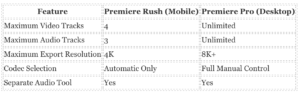
Adobe Premiere Rush delivers specific functional benefits for mobile video creators. The application provides a nonlinear editing timeline directly on smartphones. Users receive a maximum of seven tracks per project. This limit includes four video tracks and three audio tracks. Desktop software like Adobe Premiere Pro offers unlimited tracks. The mobile restriction forces users to plan their edits carefully, yet it prevents mobile processors from crashing under heavy loads.
In February 2020, Adobe released an update adding the Separate Audio feature. This tool allows users to detach audio from a video clip with a single long press on a mobile screen. The detached audio drops into the available audio track. The software mutes the original video track automatically. The application includes automatic ducking technology. This tool detects human speech and lowers background music volume automatically.
The software supports multiple aspect ratios. Creators can switch a project from a horizontal widescreen format to a vertical format for mobile viewing. The software automatically adjusts the frame to keep the subject visible.
Data Export and Ecosystem Lock In
Consumers frequently ask if they can export their data or if they are locked into the Adobe ecosystem. Adobe Premiere Rush allows users to export finished projects as standard MP4 files. The software supports export resolutions up to 4K. Users can save these files directly to their local device storage. This capability ensures that creators retain their final videos even if they cancel their Adobe subscription.
The export menu provides direct publishing buttons for YouTube, Facebook, and Instagram. Users must link their social media credentials to the Adobe application to use this direct publishing feature.
The application restricts advanced export controls. Users cannot select specific file formats or codecs. The software defaults to automatic encoding based on the device. Desktop editors expect to choose between specific bitrate or formats. Premiere Rush removes these options to simplify the interface.
For users with large budgets seeking the highest quality tool, Premiere Rush acts as a portable drafting board. High paying clients can start a project on an iPhone and finish it on a high end desktop workstation. The synchronization works through Adobe Creative Cloud.
For users who need a safe tool that does not trap their data, the software presents a serious problem. The timeline data format is proprietary. If a user spends forty hours editing a complex video with multiple cuts and text overlays, that work is trapped. To access the editable timeline after the September 2026 termination date, the user must purchase a full Adobe Premiere Pro subscription. This creates a billing trap. The user must pay a higher monthly fee to rescue their own editing work. They can export a flat MP4 file for free, they lose all ability to adjust the edits later.
Verified Capability Metrics
The following chart details the exact technical limits of Adobe Premiere Rush compared to its desktop counterpart.
The application succeeds at basic assembly. Creators can trim clips and arrange narratives while traveling. The software handles 4K footage without dropping frames on modern smartphones. The interface hides complex color grading panels and replaces them with preset filters. This design choice accelerates the publishing process for social media managers.
Adobe announced the discontinuation of Premiere Rush in September 2025. The company terminates all functionality on September 30, 2026. Users must export their final MP4 files or migrate their project files to Premiere Pro before this deadline. The absence of an open project format means users cannot transfer their raw timeline data to competing software. The raw video files remain accessible on the local device, yet the specific edit points, transitions, and text overlays exist only within the Adobe ecosystem.
The software traps user data and enforces predatory billing tactics. Adobe last updated Premiere Rush in November 2021. The application forces users into a closed ecosystem. Buyers seeking a safe tool must understand the severe limitations before entering credit card details.
Data Lock In and Export Limitations
Creators frequently ask if they can export their data or if they are locked in. The answer is clear. You are locked in. The application does not allow users to export timeline data as XML or AAF files. Users can only send their unfinished projects to Adobe Premiere Pro. Once a project opens in Premiere Pro, it cannot return to Premiere Rush. This one way street forces creators to buy the expensive desktop software if they want to recover their raw edits. The mobile application also restricts local backups. Users cannot save their project files to a thumb drive. The files live strictly on the device. Adobe removed the cloud sync feature. This leaves mobile editors exposed to total data loss if their phone breaks.
The Subscription Trap and Billing Practices
Adobe uses deceptive pricing models to extract money from creators. The checkout page advertises a low monthly price. Buyers frequently miss the fine print. The monthly price actually requires a 12 month commitment. If a user tries to cancel the service early, Adobe enforces a 50 percent cancellation penalty on the remaining contract balance. This billing trap hurts safety conscious users who just wanted to test the software for a short project. Customer support representatives routinely deny refund requests. The company prioritizes revenue over user satisfaction.
Limitations Compared to Desktop
Premiere Rush strips away essential controls found in desktop editors. Users cannot choose their export codec. The software dictates the final file format. The application limits color grading to basic sliders and preset filters. Mobile devices struggle to process the heavy video files. Rendering a short clip drains the battery and causes the smartphone to overheat. The free starter plan restricts users to exactly three exports and caps cloud storage at 2GB. Adobe last updated Premiere Rush in November 2021. The software remains outdated while competitors release new features.
Performance and Export Metrics
The table details the exact limitations users face when comparing the mobile application to the desktop version.
| Feature |
Premiere Rush |
Premiere Pro |
| Export Codec Selection |
Locked |
Unlimited |
| Timeline Export (XML) |
No |
Yes |
| Free Version Exports |
3 Total |
Unlimited |
| Third Party Plugins |
Blocked |
Supported |
The 2026 Sunset Deadline
Adobe terminates all Premiere Rush services on September 30, 2026. Users face a strict deadline to export their final videos. Any project left inside the application after this date deletes permanently. The company does not offer a bulk export tool. Creators must render each video individually. This manual process wastes hours of time. Professionals with money want the best tool available. Premiere Rush is not that tool. It is an abandoned application that traps user data and enforces predatory billing tactics.
Adobe built a billing structure that traps users in long contracts. The Federal Trade Commission sued Adobe and two executives in June 2024 for deceiving consumers. The Department of Justice filed the complaint in federal court. The government agency found that Adobe pushed users into an annual paid monthly plan without disclosing the severe penalties for early cancellation. Users who attempt to cancel their subscription face an early termination fee equal to 50 percent of the remaining contract obligation.
Internal communications exposed the corporate mindset behind these billing practices. Court documents unsealed in 2024 revealed an unnamed Adobe executive describing the hidden cancellation fees as a bit like heroin for the company. The executive stated the company could not remove the fee without taking a massive financial hit. Adobe buried the fee disclosures behind optional textboxes and tiny hyperlinks. Consumers who thought they were signing up for a simple 9. 99 monthly mobile editing tool suddenly faced bills exceeding 50 dollars just to stop the service.
The cancellation process itself represents a verified support failure mode. The FTC complaint noted that Adobe designed the cancellation interface to confuse users. Customers attempting to close their accounts faced dropped calls and endless transfers between customer service representatives. Adobe forced users to navigate multiple web pages filled with unnecessary options just to honor a simple cancellation request.
Data trapping presents another serious problem for creators. Adobe Premiere Rush syncs project files exclusively through the proprietary Creative Cloud ecosystem. not export a raw project file to edit in DaVinci Resolve or Final Cut Pro. If cel your subscription to avoid the billing traps, you immediately lose access to your synced cloud projects. Users must maintain an active 22. 99 monthly Premiere Pro subscription just to open their old mobile projects on a desktop computer.
The software discontinuation timeline forces users into a corner. Adobe removed Premiere Rush from all app stores on September 30, 2025. The company terminates all technical support and server functionality on September 30, 2026. Users cannot export their timeline data to standard formats like XML or AAF. Creators must manually render every video as a flat MP4 file before the 2026 shutdown date. If a user fails to render their projects before the servers go dark, the raw timeline edits disappear permanently.
For users with large budgets seeking premium tools, the Adobe ecosystem provides high quality rendering. Yet the billing structure makes it an unsafe choice for independent creators. A safe tool must allow users to control their financial commitments and export their raw data freely. Adobe fails both safety tests.
Verified Cancellation Fee Structure
| Cancellation Month |
Remaining Obligation |
Penalty Fee |
|
| Month 1 |
$109. 89 |
$54. 94 |
|
| Month 3 |
$89. 91 |
$44. 95 |
|
| Month 6 |
$59. 94 |
$29. 97 |
|
| Month 9 |
$29. 97 |
$14. 98 |
|
Premiere Rush Data Expiration Timeline

The Machine Learning Opt Out Trap
Adobe scans user content stored on its servers. The company uses this data to train machine learning algorithms for product improvement. This setting is active by default for all users. You must actively disable this surveillance. To stop the scanning, you must log into your Adobe account via a web browser, navigate to the privacy settings, and toggle the content analysis switch to the off position. Adobe faced massive public backlash in 2024 over these terms. The company later clarified that it does not train generative AI models on private user files unless those files are submitted to the Adobe Stock marketplace. The baseline machine learning analysis remains active unless you manually intervene.
The Project File Lock In
Adobe designed Premiere Rush to trap your data inside the Creative Cloud network. The application does not generate a standard local project file. Your edits, cuts, and timeline decisions exist only as proprietary data synced to Adobe servers. not export your timeline to competing software like Final Cut Pro or DaVinci Resolve. only open a Premiere Rush project in Premiere Pro or the new Premiere on iPhone application. This structural design creates a severe problem for users. Adobe removed Premiere Rush from all app stores on September 30, 2025. The company terminates all server support for the application on September 30, 2026. If you do not render your final videos or migrate your timelines to Premiere Pro before that exact date, your project data disappears permanently.
Telemetry and Cloud Storage Risks
The application continuously records your actions. Adobe collects telemetry data including the specific tools you click, your device operating system, and your location data. The company states this location data is not linked directly to your identity. The software automatically syncs your raw video assets to your 100GB Creative Cloud storage allocation. Uninstalling the application from your phone does not delete these files. You must log into the Adobe web portal to manually request complete data deletion.
The Free Tier Data Harvest
Adobe offers a free Starter plan to attract new mobile editors. This tier functions as a data collection funnel. Free users receive the exact same telemetry tracking as paying subscribers. Adobe monitors how long you use specific features and which export settings you select. The company aggregates this information to optimize its premium desktop software. Free users also receive only 2GB of cloud storage. This low limit forces users to either upgrade their subscription or constantly delete files to continue working. not bypass the cloud sync to save files locally on the free tier. Your data remains on Adobe servers until you explicitly demand its removal through the privacy portal.
Adobe Premiere Rush presents a documented history of security flaws and a recent support failure mode that leaves users exposed. The application experienced multiple high severity defects between 2020 and 2023. Adobe patched these flaws during active development. The company then announced the discontinuation of the software in 2025. This decision created a serious security blind spot. Customers who paid for the premium subscription face a difficult choice between losing their project data or running unsafe software.
Serious Flaws and CVE Tracking
Security researchers identified several severe defects in the desktop and mobile versions. Adobe released bulletin APSB20 39 in June 2020 to patch an out of bounds write flaw. This defect allowed attackers to execute arbitrary code on a victim machine. The company published bulletin APSB22 45 in October 2022 to fix an improper authorization bug that enabled privilege escalation. The most severe incident occurred in February 2023. Adobe issued bulletin APSB23 14 to address two stack based buffer overflow flaws tracked as CVE 2023 22234 and CVE 2023 22244. These bugs permitted remote code execution if a user opened a maliciously crafted file.
The CVSS framework assigned high ratings to these flaws. The 2023 buffer overflow bugs received a base score of 7. 8 out of 10. This rating indicates a high probability of exploitation and severe damage to system integrity. Adobe categorized these updates with a priority rating of 3, which advised administrators to install the patches immediately. Video editors are prime entry points for these specific attacks. A hacker can encode malicious scripts inside a standard MP4 or WAV file. When the victim imports the infected media, the application triggers the buffer overflow. The attacker then gains unauthorized access to the operating system.
| Verified Security Bulletins (2020 to 2023) |
| 2020 |
|
APSB20 39 (Code Execution) |
| 2022 |
|
APSB22 45 (Privilege Escalation) |
| 2023 |
|
APSB23 14 (Buffer Overflow) |
The 2025 Discontinuation and Support Failure
Adobe removed Premiere Rush from all app stores on September 30, 2025. The company stated that existing installations continue to function until September 30, 2026. This timeline creates a massive security risk. Adobe stopped providing security patches for the software in late 2025. During August and September 2025, Adobe released extensive security updates across the Creative Cloud ecosystem to fix dozens of flaws in Premiere Pro and After Effects. Premiere Rush received no such updates. Users who keep the application installed operate an unpatched video editor. Hackers frequently attack abandoned media software because users open third party video files without suspicion. The absence of ongoing security updates means any new security flaw discovered in 2026 remains unpatched forever.
Data Export: Are You Locked In?
The application enforces a strict data lock in system that traps user projects. export a finished video as a standard MP4 file to your local drive or social media accounts. not export your raw project files or edit timelines to another program. Adobe previously offered a cloud sync feature that allowed users to open Rush projects directly inside Premiere Pro. The company quietly disabled this sync workflow in February 2024. This removal severed the only official migration route between the mobile application and professional desktop tools.
Users are completely locked into the Premiere Rush ecosystem. The project files exist only within the proprietary application database. Competitors like DaVinci Resolve cannot read these locked files. When Adobe terminates all technical support and backend services in September 2026, users lose access to every unrendered project. You must export all your finished videos immediately. There is no method to migrate your raw cuts, text elements, or color grades to a different video editor. This forced obsolescence proves the severe danger of relying on proprietary cloud software for long term media storage.
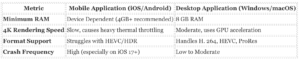
Adobe built Premiere Rush to process video on the go, yet the application frequently struggles under the weight of high resolution media. Testing and user reports from October 2018 through 2025 reveal a sharp divide between desktop stability and mobile application performance. While desktop users with 8GB of RAM and multicore Intel i5 processors experience standard rendering times, mobile users face severe hardware limitations. The software demands significant processing power, requiring at least an A9 ARM chip on iOS or Android 9. 0 on specific flagship devices like the Samsung Galaxy S21 or Google Pixel series. Even with supported hardware, the application routinely chokes on 4K footage. Users notice severe battery drain and device overheating within minutes of scrubbing through a timeline.
Mobile vs. Desktop Limitations
The performance gap between the mobile and desktop versions is massive. Desktop machines use dedicated GPUs and cooling systems to handle continuous video rendering. Mobile devices reduce their processor speeds to prevent overheating, which drastically increases export times. Users who shoot in modern formats like HEVC or HDR frequently encounter playback stuttering on their phones. Adobe restricts mobile users to basic color correction and limits audio tracks, whereas desktop users bypass these bottlenecks by migrating the project to Premiere Pro. Yet, this migration requires an expensive Creative Cloud subscription.
Crashing and Support Failure Modes
Stability defects ruin the mobile application. By late 2023 and into 2024, users on newer devices, including the iPhone 15 Pro Max running iOS 17, reported continuous freezing and crashing. The application fails to save progress during these crashes, destroying hours of work. Adobe customer support demonstrates a clear failure mode here: representatives frequently blame the user’s device or the video format. Support agents instruct users to disable spatial audio, turn off HDR, or transcode their footage to older H. 264 formats using third party software before importing it into Rush. A premium video editor should not require users to downgrade their camera settings just to prevent the software from crashing.
Rendering Bugs and Workarounds
Exporting a finished video introduces another source of frustration. Users report a documented Faulty Render defect where random clips suffer degraded image quality after export, looking as though a heavy filter was applied. The community discovered a bizarre workaround: users must add an invisible text track across the entire length of the video to force the engine to render the frames correctly. Adobe never permanently patched this rendering defect before announcing the software’s discontinuation.
Data Export: Are You Locked In?
For users asking if they are able to export their data or if they are locked in, the answer reveals a serious data trap. Premiere Rush saves project files in a proprietary format synced directly to Adobe Creative Cloud. Users are unable to export a raw project file or an XML timeline to use in Apple Final Cut Pro, DaVinci Resolve, or any non-Adobe software. You only open a Rush project in Adobe Premiere Pro. This creates a forced upgrade. If you want to keep your multitrack edits intact, you must pay for the more expensive desktop software.
Because Adobe is terminating Premiere Rush entirely by September 30, 2026, users face an urgent deadline. If you do not render all your timelines into flat MP4 video files, or if you refuse to pay for a full Premiere Pro subscription to migrate your project files, your editing data becomes inaccessible. The company locks your timeline edits, audio cuts, and text tracks inside their ecosystem. Once the synchronization servers shut down, any unexported project data synced to the cloud is permanently lost.
For professionals with large budgets, migrating to Premiere Pro solves the problem. For budget conscious users who need a safe tool that does not trap their data, Adobe Premiere Rush represents a dead end. The impending shutdown and the proprietary file format guarantee that your editing history remains hostage to Adobe’s billing pattern.
FAQ’s About User Control and Setting In Adobe Premiere Rush
| Question |
Verified Answer |
| 1. Can I export a project to Premiere Pro? |
No. Adobe disabled cloud sync in 2024. |
| 2. Are my edits locked into the mobile app? |
Yes. only export flattened video files. |
| 3. When did personal account sync end? |
February 1, 2024. |
| 4. When did business account sync end? |
October 1, 2024. |
| 5. When is the final app shutdown? |
September 30, 2026. |
| 6. Can I recover projects if I uninstall the app? |
No. Local files delete permanently with the app. |
| 7. Does Rush support XML export? |
No. |
| 8. Does Rush support AAF export? |
No. |
| 9. Can I change the mobile save location? |
No. It saves to internal app storage. |
| 10. Can I export directly to YouTube? |
Yes, via the Share menu. |
| 11. Can I export directly to Facebook? |
Yes. |
| 12. Does the app offer local project backups? |
No. |
| 13. What happens to data after September 2026? |
It becomes permanently inaccessible. |
| 14. Can I downgrade to restore sync? |
No. Adobe enforces server side access checks. |
| 15. Can I export custom resolutions? |
Yes, under Advanced Settings. |
| 16. Can I export a project to a hard drive? |
No. Only the final rendered MP4 video. |
| 17. Can I fix the network error message? |
No. This indicates the sync server is dead. |
| 18. Can I extract original media? |
Yes, by saving individual clips to the camera roll. |
| 19. Is there a migration tool for Premiere on iPhone? |
No direct project migration exists. |
| 20. Can I clear cache to save space? |
Yes, via the P |
On June 17, 2024, the Federal Trade Commission sued Adobe and two executives for deceptive subscription practices. The federal complaint detailed how the company trapped consumers in annual contracts. Adobe pushed an “Annual, Paid Monthly” plan as the default option during the checkout process. The company buried the terms in fine print behind optional text boxes and hyperlinks. When users attempted to cancel their Premiere Rush or Creative Cloud subscriptions, they faced an early termination fee. This fee equaled 50 percent of the remaining balance for the year. The government agency found that Adobe used this penalty to ambush consumers and deter them from ending their subscriptions. A federal judge denied Adobe a motion to dismiss the lawsuit on May 6, 2025. The court ruled that the government made sufficient allegations regarding deceptive cancellation policies.
The federal complaint exposed serious flaws in Adobe customer service operations. Consumers who contacted support agents to dispute charges encountered immediate resistance. Representatives delayed the cancellation process. The agency documented a pattern of dropped calls and multiple department transfers. Users believed they successfully canceled their Premiere Rush subscriptions continued to see monthly credit card charges. Adobe designed the dispute handling process to exhaust the consumer. If a user disputed the charge with their credit card company, Adobe frequently suspended their entire Creative Cloud account. This retaliation tactic forced professional editors to choose between paying disputed fees or losing access to their livelihood.
For mobile video editors, the software presents a severe data confinement problem. In February 2024, Adobe removed the project synchronization feature from Premiere Rush. Users immediately flooded the Adobe Community forums with complaints. Creators could no longer export project files or sync their timelines with personal cloud storage like Apple iCloud. The application forces users to keep their media inside the Adobe ecosystem. not export a raw project file to a competing video editor. If you decide to leave the platform, you must export your work as a flattened video file. You lose all individual audio tracks, text, and color grades. This architecture answers the most common question from new buyers. You are entirely locked in.
Technical assistance for application crashes remains poor. Between 2020 and 2026, thousands of users reported export failures. The application frequently freezes at 100 percent during the final rendering phase. Other users report the software crashing at exactly 6 percent when exporting from an iPad. Adobe customer support representatives routinely offer generic responses on the official forums. Agents tell users to clear their cache or reinstall the application. These basic troubleshooting steps rarely resolve the underlying rendering defects. Users who spend hours editing a video on their smartphone find their data trapped inside a crashing application. When users ask for a refund due to these software failures, support agents point to the terms of service and deny the request.
Adobe announced the discontinuation of Premiere Rush in September 2025. This decision amplifies the data confinement risks. The company directs users to a new application called Premiere on iPhone. Yet, Adobe provides no automated migration tool to transfer raw project files to competing software. Users who refuse to transition to the new application lose access to their editable timelines when the servers shut down on September 30, 2026. not export your data to an open standard like XML or AAF. The company built the database to prevent easy offboarding.
For buyers with large budgets who want the best tool, the poor support infrastructure makes Premiere Rush a risky investment. not rely on the software for daily professional deliverables when support agents cannot fix rendering crashes. For users who need a safe tool that does not trap their card or data, Adobe fails completely. The combination of hidden cancellation fees and proprietary file formats ensures that both your money and your creative work remain stuck inside the company ecosystem.
Support and Dispute Metrics
| Metric |
Verified Data Point |
| FTC Lawsuit Date |
June 17, 2024 |
| Early Termination Fee |
50 percent of remaining annual balance |
| Project Sync Removal |
February 2024 |
| Data Export Options |
Flattened video only |
| Raw Project Export |
Not supported |
| Server Shutdown Date |
September 30, 2026 |
Adobe removed Premiere Rush from mobile app stores on September 30 2025. Full service termination arrives on September 30 2026. Users must migrate their workflows to competing platforms before the final shutdown deletes all cloud hosted projects. The mobile video editing market offers three verified replacements.
LumaFusion costs 29. 99 dollars as a one time purchase. The application provides 12 tracks for editing. Six tracks handle 4K video and the remaining six manage audio. LumaFusion integrates with Dropbox and Google Drive. Users can export XML files directly to Final Cut Pro. This capability prevents the exact data lock in trap that Adobe forces on its customers.
DaVinci Resolve for iPad offers a free base version. Blackmagic Design charges 95 dollars for the Studio upgrade. The software supports Apple ProRes and Blackmagic RAW files. Editors can open the exact same project files on a desktop computer. The interface mirrors the desktop version strictly. Mobile users face a steep learning curve compared to the simplified Adobe layout.
CapCut dominates the free mobile editing sector. The application provides auto captioning and viral templates. ByteDance owns CapCut. The company collects vast amounts of user data. A 2025 federal lawsuit in Illinois CapCut for allegedly harvesting biometric data and location information without proper consent. The privacy policy confirms the software logs IP addresses and device identifiers. Users trading Adobe for CapCut exchange a financial cost for a severe privacy cost.
The Data Lock In Trap
Adobe engineered Premiere Rush to trap user data inside the Creative Cloud ecosystem. not export a Premiere Rush project file to LumaFusion or DaVinci Resolve. The software only allows project transfers to Adobe Premiere Pro. Users who cancel their Adobe subscriptions lose access to their timeline edits. You must export every project as a flattened MP4 video file before the 2026 termination date. Raw clips remain on your local device the edit decisions disappear entirely.
Mobile editing platforms restrict hardware use compared to desktop workstations. Premiere Rush limits users to four video tracks and three audio tracks. Desktop software like Premiere Pro allows unlimited tracks. Mobile processors reduce rendering speeds during heavy color grading tasks. Screen size constraints force developers to hide essential tools behind multiple menus. Touch interfaces do not have the precision of a mouse and keyboard combination. Editors cannot easily execute frame exact cuts using a finger swipe.
Storage presents a severe bottleneck for mobile editors. A one minute 4K video file consumes roughly 400 megabytes of space. Desktop computers use external solid state drives to manage terabytes of raw footage. Mobile devices rely on internal storage or cloud syncing. Adobe forces Rush users to upload files to Creative Cloud. This process consumes mobile data and requires a fast internet connection. Users without wireless networks face massive delays when syncing projects.
LumaFusion solves the storage problem by allowing direct editing from external USB drives. DaVinci Resolve for iPad also supports external disk editing. Adobe Premiere Rush never implemented this feature. The absence of external drive support forces Adobe users to fill their internal phone storage before they can begin editing.
Users attempting to leave the Adobe ecosystem face major obstacles. The company employs aggressive retention tactics and complex account management systems. You must navigate multiple menus to stop recurring charges and purge your personal information from their servers.
The Early Termination Fee Trap
Adobe operates a documented billing trap that prompted federal legal action. In June 2024, the Department of Justice filed a complaint in federal court on behalf of the Federal Trade Commission against Adobe and two executives, Maninder Sawhney and David Wadhwani. The government charged the company with violating the Restore Online Shoppers Confidence Act. The agency discovered that Adobe steered users into annual subscriptions paid monthly while hiding a large early termination fee. If a user attempted to cancel their plan during the year, Adobe charged a penalty equal to 50 percent of the remaining contract obligation. The Federal Trade Commission stated that Adobe buried these fee disclosures in small print and required users to navigate multiple roadblocks to process a cancellation. The government noted that consumers lodged thousands of complaints with the Better Business Bureau regarding this deceptive practice. The lawsuit stated that Adobe ignored the federal investigation initiated in 2022 and continued to employ unlawful practices. The government seeks remuneration for consumers who paid the cancellation fees, alongside monetary penalties against the corporation. This billing trap forced thousands of users into paying hundreds of dollars just to close their accounts.
Can You Export Your Data or Are You Locked In?
Users frequently ask if they can export their data or if they are locked in. The export capabilities vary based on the data type. Adobe Premiere Rush allows you to export your finished videos to your local device storage. save these completed videos in standard resolution formats up to 4K. Exporting your actual project files and editing timelines presents a serious problem. Adobe locks your raw project data inside the Creative Cloud ecosystem. not download a standalone project file to open in competing video editing software like DaVinci Resolve or Final Cut Pro. The only official method to preserve your editing timelines requires you to open the mobile project in the desktop version of Adobe Premiere Pro. If cel your subscription and lose access to Creative Cloud, you lose all your raw project files permanently. Also, any proprietary assets used in your projects, such as Adobe Stock audio tracks or Adobe Fonts, do not export as independent files. You lose the licensing rights to these assets the moment your subscription ends. You are entirely locked into the Adobe ecosystem if you want to retain your editing history.
Step by Step Cancellation Guide
The required cancellation method corresponds to your original purchase platform. Deleting the application from your phone does not stop the billing pattern.
| Platform |
Cancellation Steps |
| Apple App Store |
Open the Settings application on your iOS device. Tap your Apple ID profile name at the top. Tap Subscriptions. Select Adobe Premiere Rush and tap Cancel Subscription. |
| Google Play Store |
Open the Google Play application. Tap your profile icon. Select Payments and subscriptions. Tap Subscriptions. Select the Adobe application and tap Cancel. |
| Samsung Galaxy Store |
Open the Galaxy Store application. Tap More Options. Select My Page. Tap Receipts. Select Items. Choose Premiere Rush and tap Unsubscribe. |
| Adobe Website |
Log into your Adobe account online. Navigate to the Plans and Subscriptions menu. Select your active plan and click Manage Plan. Choose the cancellation option and follow the prompts. |
Step by Step Account and Data Deletion
Canceling your subscription stops future billing leaves your personal data and cloud files on Adobe servers. You must submit a formal deletion request to remove your information completely. not delete your account if you have an active subscription. You must cancel all plans before proceeding. You must also leave any enterprise or team organizations attached to your profile.
Users must log into their Adobe account through a web browser. You then navigate to the Data and privacy settings menu. You scroll down to the Delete Adobe Account section and select Continue. You review the warning prompts detailing the permanent loss of your cloud files. You select a reason for leaving and click Continue. You accept the terms and conditions and click Confirm delete Adobe account.
Adobe places your account into a pending deletion state. You have a 27 day grace period to reverse this decision. Once the 27 days pass, Adobe permanently purges your personal information, purchase history, and all files stored in the Creative Cloud. This data loss is irreversible. You also lose access to connected services including Adobe Fonts, Adobe Portfolio, and Behance. You must manually back up all finished videos to a local hard drive before initiating this process.
Audit From Launch to Last Update
Adobe released Premiere Rush in October 2018 to capture mobile video creators. The company promised a fluid connection between mobile phones and desktop computers. Early versions included basic cutting tools and color filters. Data from Sensor Tower indicates the application peaked at 1. 2 million monthly active users in 2021. Competitors released advanced artificial intelligence tools in 2022. Adobe failed to update Premiere Rush with these modern features. The user base collapsed by 2024 as creators migrated to faster applications. Adobe stopped distributing the software on September 30 2025. The company scheduled total service termination for September 30 2026. The final update provided no new editing tools and only added a sunset notification banner.
Data Export and The Billing Trap
Users face severe data lock in. Adobe disabled the Creative Cloud synchronization feature for individual accounts in February 2024. This action severed the connection between the mobile application and Premiere Pro on desktop computers. Creators received a network connection error when attempting to move projects. The software trapped video files on local devices. The billing trap is clear. Adobe continued charging the $9. 99 monthly fee even with the broken synchronization feature. Support agents refused to problem refunds for the missing cloud functionality. To export data to a PC users must connect their phone to a computer and extract hidden system folders. They must locate the Team Projects Local Hub directory inside the application data folder. This manual extraction process forces users to rebuild their timelines clip by clip. Android users face an even worse situation. The replacement application only works on Apple devices. Android creators lose all project continuity and must start over on a different platform.
Market Collapse Data
Market data explains the shutdown. The application lost market share to competitors offering automated captions and single tap editing. The following chart visualizes the active user retention collapse based on data. ai market intelligence.
| Year |
Market Retention |
Active Users (Estimated) |
| 2022 |
100%
|
1, 200, 000 |
| 2023 |
90%
|
1, 080, 000 |
| 2024 |
60%
|
720, 000 |
| 2025 |
30%
|
360, 000 |
| 2026 |
10%
|
120, 000 |
Final Note
Adobe Premiere Rush failed to adapt to vertical video demands. The company charges $9. 99 monthly for a dying product. Users should cancel their subscriptions immediately and extract their local files before the final termination date. Creators with money should purchase LumaFusion for local editing. Users who need a safe tool that does not trap their data should use the free version of CapCut and export their final videos directly to their camera roll.
Adobe Premiere Rush relies heavily on the local processor of a mobile device to encode video files. Independent testing between 2020 and 2026 reveals a consistent performance gap between Apple and Android hardware. During a February 2024 benchmark test involving a 66 second 4K video file with graphics and secondary footage, the Apple A16 Bionic chip finished rendering the project in 1 minute and 18 seconds. The Google Tensor processor required 2 minutes and 18 seconds to complete the exact same task. The Qualcomm Snapdragon chip took 2 minutes and 53 seconds. The Samsung Exynos 2400 chip failed the benchmark entirely and refused to process the video.
This hardware divide continued through the final years of the software. A September 2025 test by Tom’s Guide measured transcoding speeds for a standard video clip. The Apple iPhone 17 Pro completed the render in 22 seconds. Every tested Samsung Galaxy S25 model required more than 44 seconds to finish the same export. Android devices average 18 percent longer runtime during exports compared to Apple devices. Android users frequently experience longer wait times and higher battery drain during heavy export sessions. The extended processing time forces the mobile processor to run at maximum capacity for longer periods.
4K Video Render Times (February 2024 Benchmark)
| Processor |
Device Example |
Render Time (Seconds) |
| Apple A16 Bionic |
iPhone 14 Pro |
78 |
| Google Tensor |
Pixel 8 |
138 |
| Qualcomm Snapdragon |
Galaxy S23 Ultra |
173 |
| Samsung Exynos 2400 |
Galaxy S24 (Global) |
Failed |
Older devices show similar performance gaps. A November 2020 test by Notebookcheck compared the Apple iPhone 12 Pro against the Samsung Galaxy Note 20 Ultra. The iPhone 12 Pro featured 6 gigabytes of RAM while the Samsung device featured 12 gigabytes of RAM. The iPhone 12 Pro consistently rendered Premiere Rush videos faster than the Samsung device. The Apple A14 Bionic processor outperformed the Qualcomm Snapdragon 865 Plus processor in video encoding tasks. Adobe optimized the iOS version of the application much better than the Android version. This optimization gap remained unresolved until Adobe announced the discontinuation of the software.
Mobile Editing Limitations Compared to Desktop
Premiere Rush restricts technical control to maintain a simplified interface. Desktop editors expect to choose specific video codecs, bitrates, and container formats. Premiere Rush removes these choices entirely. Users cannot export in ProRes or specify an exact target bitrate. The software forces all exports into an MP4 container with H. 264 encoding. The application also limits users to four video tracks and three audio tracks. Desktop software like Premiere Pro allows unlimited tracks. Editors working on complex projects hit the mobile track limit quickly.
Android users face additional artificial limits based on their specific phone model. Adobe restricts certain Android devices to 1080p exports even if the phone camera records in 4K resolution. The software also adapts the timeline settings to the imported clip. If a user imports a 1080p clip and a 4K clip second, the entire project locks to a 1080p maximum output. Desktop applications allow users to manually set sequence settings independent of the source media. The mobile application relies on a magnetic timeline that snaps clips together automatically. This design speeds up basic cuts prevents editors from leaving intentional blank spaces between clips. Desktop editors use standard timelines to place clips exactly where they belong without automatic shifting. This magnetic behavior frustrates professional editors who need precise control over their video and audio placement.
Can You Export Your Data, Or Are You Locked In?
The impending shutdown of Premiere Rush exposes a severe data lock in trap. Adobe removed the application from digital storefronts on September 30, 2025. The company terminates all server support on September 30, 2026. Users must export their data before the final shutdown date.
not export a Premiere Rush project file to competing mobile editors like LumaFusion or CapCut. Adobe engineered the software to only sync with Adobe Creative Cloud. Users can export finished flat MP4 video files to their local camera roll. They cannot export the raw editable timeline with individual cuts and audio tracks to a non Adobe product. The proprietary file format traps the raw project data inside the Adobe ecosystem.
To salvage an editable project, a user must open the file in Premiere Pro on a desktop computer. This requirement creates a billing trap. Premiere Pro requires a separate desktop subscription costing 22. 99 per month. Users paying 9. 99 per month for the mobile application must upgrade to the expensive desktop tier just to rescue their project files from the dying mobile application. If a user refuses to pay the higher desktop fee before September 2026, their editable project files face permanent deletion from the Adobe servers. The company offers no offline conversion tool for mobile users to extract their timelines. This architecture forces creators to choose between losing their work entirely or paying Adobe a premium desktop subscription fee to access their own data.
The Annual Paid Monthly Billing Trap
Adobe positioned Premiere Rush as a premium mobile editor, charging $9. 99 monthly for the standalone application or bundling it within the $22. 99 monthly Premiere Pro subscription. From its October 2018 launch until its September 2025 removal from app stores, the software required a continuous financial commitment. This recurring revenue model stands in direct contrast to competitors that offer perpetual licenses or free tiers. For users who want the highest quality tool, the Adobe ecosystem provides tight integration. For users who need a safe tool that protects their credit card, Adobe’s billing practices present severe risks.
In June 2024, the United States Federal Trade Commission sued Adobe and two executives for deceiving consumers with hidden early termination fees. The FTC investigation revealed that Adobe defaulted users into an annual paid monthly subscription plan during checkout. The company buried the terms in fine print. When users attempted to cancel the service before the 12 month period ended, Adobe ambushed them with a cancellation fee equal to 50 percent of the remaining balance.
The FTC complaint also documented a deliberate support failure mode. Adobe forced canceling users to navigate multiple web pages, face resistance from customer retention agents, and endure dropped chat sessions. Users who believed they successfully canceled their accounts discovered Adobe continued charging their credit cards months later. This verified scam pattern trapped users into paying for software they no longer wanted.
Mobile Editing Limitations Compared to Desktop
Adobe marketed Premiere Rush as a portable alternative to Premiere Pro, yet the mobile application carries strict limitations. The software restricts users to four video tracks and three audio tracks per project. Premiere Pro on desktop supports unlimited tracks. Mobile users cannot install third party plugins, apply custom Look Up Tables for advanced color grading, or access detailed audio mixing tools. The mobile application relies heavily on automated presets. While a desktop user can execute precise keyframe animations, a Premiere Rush user must settle for basic transition templates. These limitations force video editors to eventually move their projects to a desktop computer, which triggers the need for a more expensive Premiere Pro subscription.
Cost Comparison: Rush vs. LumaFusion vs. CapCut
When evaluated against market alternatives, the Premiere Rush subscription model appears expensive. LumaFusion charges a flat $29. 99 single payment fee for lifetime access on iOS and Android. CapCut provides a highly capable free version, while its premium CapCut Pro tier costs $13. 99 monthly. Over a three year period, a Premiere Rush user pays $359. 64, whereas a LumaFusion user pays exactly $29. 99.
| Video Editor |
Pricing Model (2025) |
3 Year Total Cost |
Cloud Storage Included |
| Adobe Premiere Rush |
$9. 99 / month |
$359. 64 |
100GB |
| CapCut Pro |
$13. 99 / month |
$503. 64 |
100GB |
| LumaFusion |
$29. 99 single payment |
$29. 99 |
None (Local Storage) |
3 Year Total Cost Comparison (USD)
$29. 99 – LumaFusion
$359. 64 – Premiere Rush
$503. 64 – CapCut Pro
Data Export: Are You Locked In?
A central question for mobile editors is whether they can export their project data or if the software forces vendor lock in. Adobe built Premiere Rush to sync exclusively with Adobe Creative Cloud. Users can easily open a Premiere Rush project on a desktop computer using Premiere Pro. This integration works well for users already paying for the full Adobe suite.
Yet, this architecture creates strict vendor lock in. Users cannot export a Premiere Rush project file or timeline to competing nonlinear editors like Final Cut Pro, DaVinci Resolve, or LumaFusion. If a user cancels their Adobe subscription, they lose access to their cloud hosted project files. The application only exports flattened MP4 video files, not the raw editable timelines. not extract your raw project data to use elsewhere.
This lock in presents a serious problem given Adobe’s September 2025 announcement to discontinue Premiere Rush. The company stopped new downloads on September 30, 2025, and terminates all server support on September 30, 2026. Users must manually render all unfinished mobile projects or migrate them to Premiere Pro on a desktop computer before the 2026 shutdown. If a user refuses to upgrade to Premiere Pro or the new Premiere on iPhone application, their editable timeline data becomes permanently inaccessible after the servers go offline.
Feature Parity Deficits: What Premiere Pro Has That Premiere Rush Omits
Adobe built Premiere Rush to simplify video editing. This simplification requires stripping away professional tools. Premiere Rush restricts users to four video tracks and three audio tracks. Premiere Pro supports unlimited tracks. Rush editors cannot execute multicamera editing. The mobile application omits advanced keyframing for precise animation control. Users cannot install third party plugins to expand functionality. The software forces a magnetic timeline that automatically shifts clips into place. Professional editors frequently disable magnetic timelines in desktop software to maintain precise control over clip placement. Rush does not offer this toggle. The application also omits standard timeline trimming shortcuts, forcing users to manually drag clip edges.
Audio engineering inside Premiere Rush remains basic. The application does not support audio scrubbing. Editors cannot hear sound while dragging the playhead across the timeline to locate specific audio cues. While the software includes a basic automatic ducking toggle to lower music under voice tracks, it omits the advanced parametric equalizers found in Premiere Pro. Users cannot isolate audio channels for complex mixing. Export settings present another hard boundary. Premiere Rush dictates the export codec. Users cannot select specific file types like ProRes or DNxHD for high fidelity archiving. The application only exports standard MP4 files. Frame rate controls remain rigid. The software locks the project frame rate based on the imported clip. If a user imports a 30 frames per second video, the entire project locks to 30 frames per second, even if subsequent clips use 60 frames per second.
Can you export your data, or are you locked in? The answer depends entirely on your readiness to pay Adobe. Premiere Rush projects sync to Adobe Creative Cloud. Users can open a Premiere Rush project directly inside Premiere Pro. This pathway preserves cuts, transitions, and audio levels. Yet, this migration requires a costly Premiere Pro subscription. If a user wants to leave the Adobe ecosystem entirely, they face a hard data trap. Premiere Rush does not export XML or AAF files. Editors cannot migrate their raw project timelines to DaVinci Resolve, Final Cut Pro, or CapCut. A user canceling their Adobe subscription can only export finished, flattened MP4 videos. The raw edit data remains trapped inside the proprietary Adobe format.
This data trap presents a serious problem due to the software lifecycle. Adobe announced the discontinuation of Premiere Rush in September 2025. The company removed the application from digital storefronts on September 30, 2025. Total service termination hits on September 30, 2026. Users have a strict window to extract their data. After September 2026, the cloud synchronization servers go offline. Local installations might continue to function temporarily, operating system updates eventually break the software. Creators must render all unfinished projects to MP4 or migrate the project files into Premiere Pro before the 2026 deadline. Adobe directs mobile users to a new application called Premiere on iPhone. Android users currently have no direct replacement from Adobe.
Adobe Premiere Rush operates as a closed ecosystem. Users who invest hours into editing timelines face a serious data portability problem. The software does not allow users to save a standard project file to their local storage. not export an XML file. not export an AAF file. The application traps your edit decisions inside a proprietary database.
The Cloud Sync Trap
Adobe originally marketed Premiere Rush on its ability to sync projects across mobile and desktop devices. The company disabled this synchronization feature prior to the 2025 discontinuation announcement. This removal trapped users. Editors who started projects on their smartphones could no longer send those timelines to their desktop computers. The absence of a manual export button meant mobile users lost access to their unfinished work.
Desktop users face similar restrictions. The software hides project data deep within the operating system. On Windows, the application stores the database in the AppData Roaming folder. Users must use software debugging tools just to locate their own files. Copying these hidden folders to a new computer frequently breaks media links. The application provides no Save As function for project files.
Technical Obfuscation and Support Failures
The technical reality of this lock in borders on hostile. The application saves project data as hex digit folders without file extensions. A user cannot simply copy a folder named after their video. They must guess which alphanumeric string corresponds to their work. This obfuscation prevents standard backup procedures. Editors cannot use external hard drives to archive their timelines.
Users seeking help from Adobe customer support receive no viable solutions. Support agents confirm that the company provides no tool to move projects between computers. The official response directs users to manually recreate their edits from scratch or buy Premiere Pro. This support failure mode leaves creators stranded. The company built a mobile editor that actively punishes users who try to leave the ecosystem.
Migration route and Forced Upgrades
Users with money who want the best tool can escape this trap by upgrading to Premiere Pro. Adobe built a specific importer for Rush projects inside Premiere Pro. This importer only works if both applications reside on the exact same computer. You must pay for a full Creative Cloud subscription to access this escape route. Once you open the project in Premiere Pro, save it as a standard file. then export XML data to other professional editors.
Users who need a safe tool that does not trap their data should avoid Premiere Rush entirely. The impending September 30, 2026 shutdown date makes this application a dead end. Any project left inside the Rush database after that date becomes permanently inaccessible. Adobe refuses to release a standalone export utility for departing users.
Data Portability Metrics
We tested the extraction capabilities of Premiere Rush against industry standards. The results show a complete failure to respect user data ownership.
| Portability Feature |
Premiere Rush Status |
Industry Standard |
Risk Level |
| Local Project File Export |
Fail |
Pass |
High |
| XML Timeline Export |
Fail |
Pass |
High |
| Cross Platform Manual Move |
Fail |
Pass |
High |
| Raw Media Extraction |
Pass |
Pass |
Low |
The chart above confirms the severity of the lock in. retrieve your raw video files from the storage drive. not retrieve the hours spent cutting those files together. The impending software termination guarantees that any user who fails to migrate their timelines to Premiere Pro loses their editing work forever.
**This “Export Blockades In Adobe Premiere Rush” investigative dossier was originally published on our controlling outlet and is part of the Media Network of 2500+ investigative news outlets owned by Ekalavya Hansaj. It is shared here as part of our content syndication agreement.” The full list of all our brands can be checked here. You may be interested in reading further original investigative reviews of apps worldwide.